Roles
A role is a reusable bundle of permissions. Users get their access in OTPKI by holding one or more roles.
This section is reserved for managing roles in OTPKI. Ref by: Permissions
Roles List
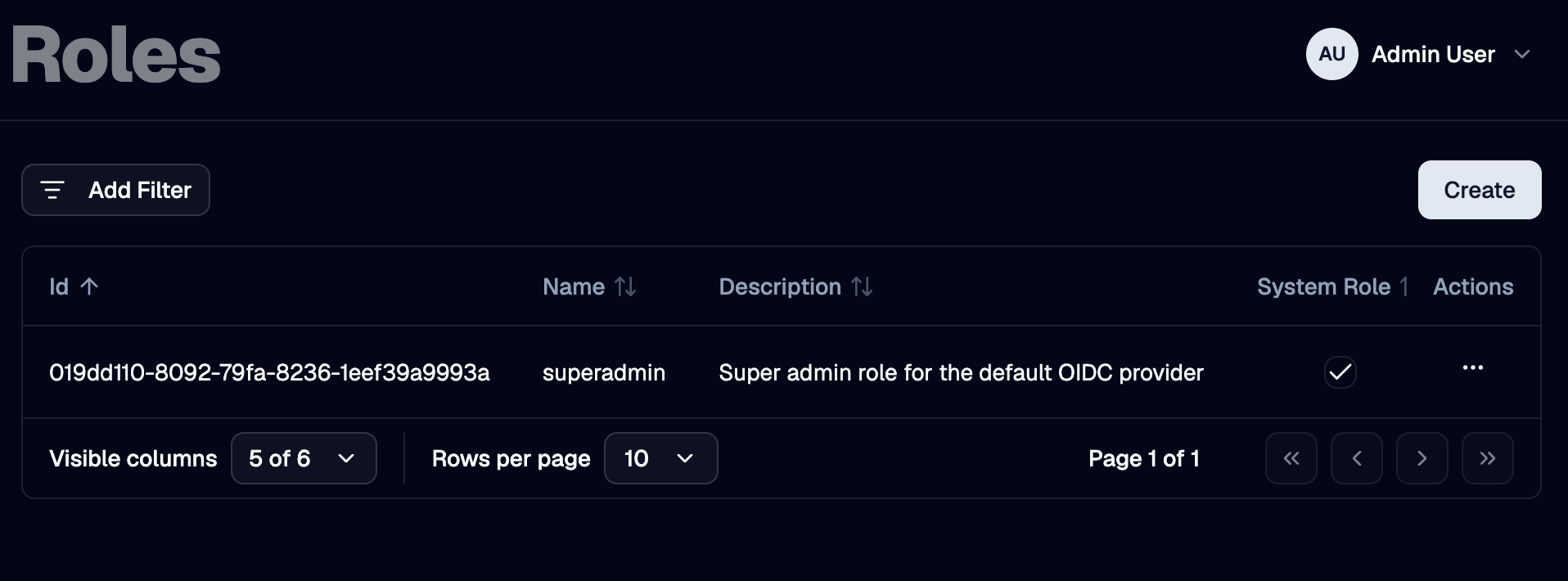
The Roles page lists every role defined in OTPKI. The list shows name, description, whether the role is a System role, and when it was created. The row menu lets you edit or delete a role.
System roles - the ones OTPKI ships with or auto-creates - are marked with a System badge.
Create Role
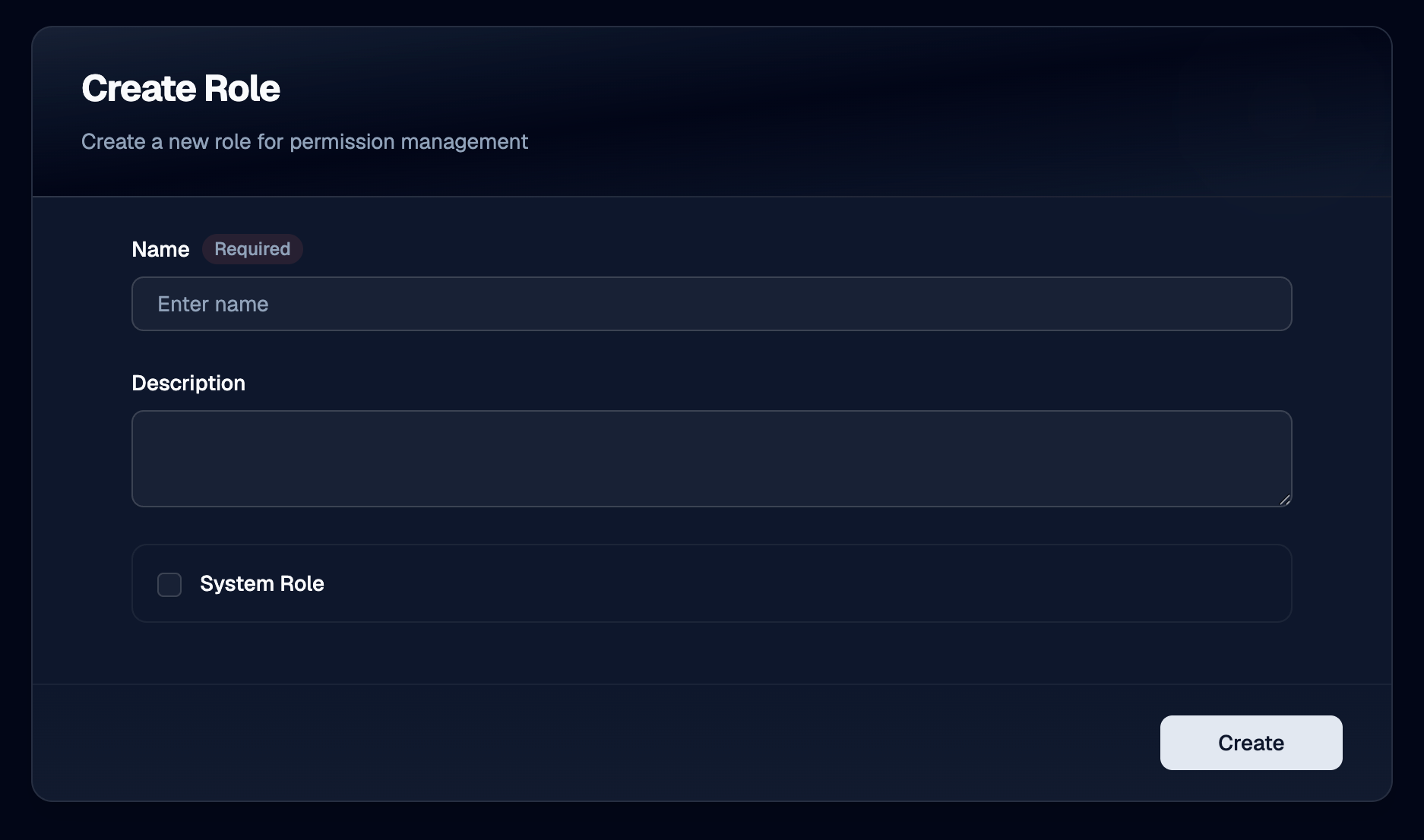
Use the Create button to add a new role. Once the role exists, head to Permissions to populate the rules it grants.
Name
Use Name to give the role a unique identifier. Required, three to one hundred twenty-seven characters. Role names must be unique across OTPKI.
Description
Use Description to record what the role is for, such as the job function it represents.
Edit Role
Use the row menu on the roles list to open the edit form. The fields are the same as on the Create form. You can edit the permissions a role grants on the Permissions screen.
Delete Role
Use the row menu on the roles list to delete a role. Deleting a role removes its permissions and unassigns it from every user.
System roles cannot be deleted from the UI.
System Roles
A few roles are marked as System:
- The super-admin role that OTPKI seeds at startup. Whoever holds this role can perform every action on every resource in the system.
- Any role that an identity provider auto-creates from a sign-in claim, when the provider is configured to create unknown roles.
System roles still appear in the matrix on the Permissions screen and you can edit what they grant, but they cannot be added to or removed from users through the User Assignments tab.
Notes
- Role names are unique. Two roles cannot share a name.
- Permissions are edited elsewhere. This screen is for managing the role records themselves. To change what a role can do, go to Permissions.
- Roles drive access. A user with no roles has no permissions. Group membership alone never grants access.