SCEP Protocol Configuration
SCEP allows devices and systems to automatically enroll for certificates using the Simple Certificate Enrollment Protocol.
This configuration defines how the SCEP endpoint issues certificates and how requests are mapped to End Entities and certificate profiles.
Protocol Configuration
The protocol configuration section defines the required settings for this SCEP profile, including the configuration name, issuing certificate authority, and whether requests must match an existing end entity.
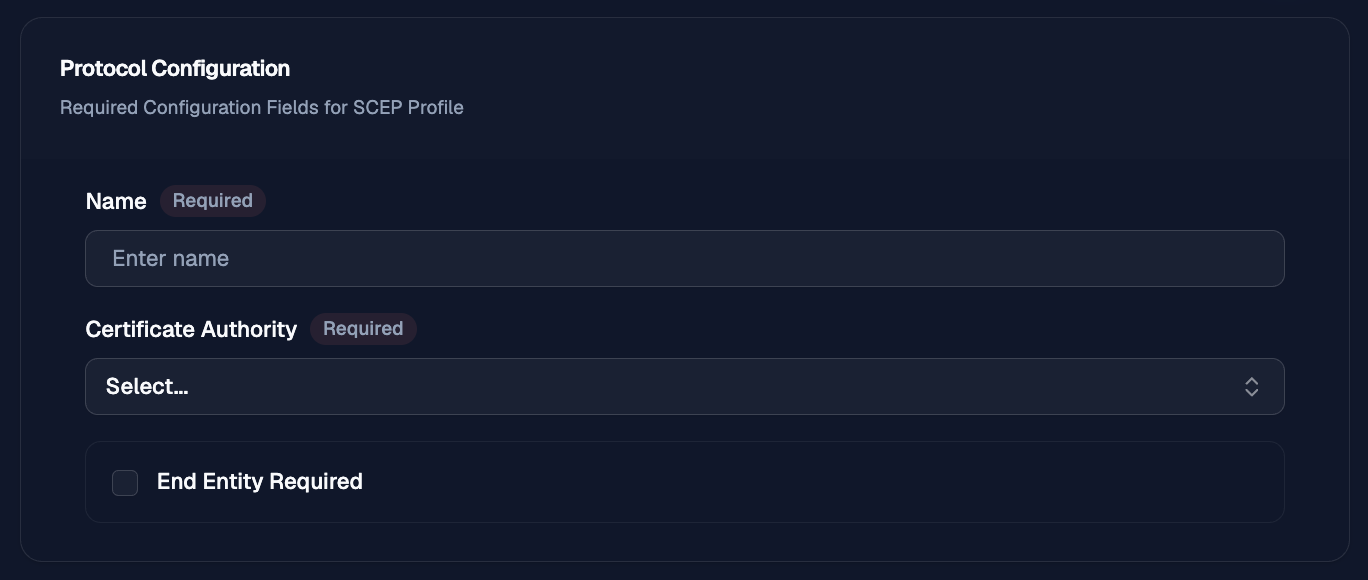
Name
Use Name to give the protocol configuration a clear label that operators can recognize later when reviewing or selecting protocol profiles.
Certificate Authority
Use Certificate Authority to select the CA that will be used to issue certificates for requests handled by this configuration.
End Entity Required
Use End Entity Required to require incoming requests to match an existing end entity before OTPKI processes the request.
When this option is disabled, OTPKI can process requests without requiring a pre-existing end entity match, subject to the rest of the profile and protocol configuration.
End Entity Naming Scheme
The end entity naming scheme section defines how OTPKI matches incoming protocol requests to existing end entities. Use these settings to control how the request identity is converted into the login ID used for end entity lookup and creation.
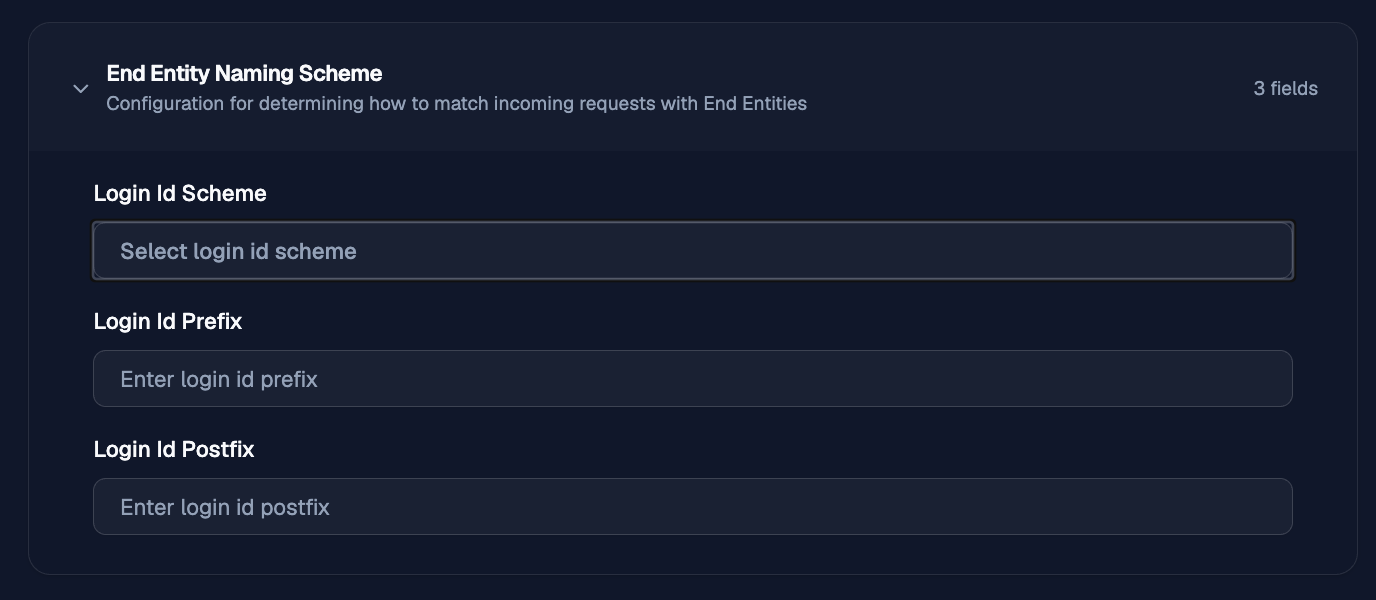
Login ID Scheme
Use Login ID Scheme to choose how OTPKI builds the login ID from the subject distinguished name (DN) in the incoming request.
The available schemes are:
- Full DN: uses the complete subject DN as the login ID.
- Part DN: uses selected DN attributes as the login ID. Selecting this option displays Login ID Parts.
- Combo DN: combines selected DN attributes to form the login ID. Selecting this option displays Login ID Parts.
- Fixed: uses the same configured login ID value for every request. Selecting this option displays a field for the fixed value.
- Random: generates a random login ID. Selecting this option displays a field for the random value length.
Login ID Parts
Login ID Parts appears when Part DN orCombo DN is selected. Use it to choose which parts of the subject DN should be included when OTPKI builds the login ID.
Login ID Fixed
The fixed login ID field appears when Fixed is selected. Use it to enter the exact login ID OTPKI should use for matching incoming requests.
Login ID Random Length
The random login ID length field appears when Random is selected. Use it to define the length of the generated login ID.
Login ID Prefix
Use Login ID Prefix to add a static value before the generated or derived login ID. This can help distinguish identities that come from a specific protocol, environment, or configuration.
Login ID Postfix
Use Login ID Postfix to add a static value after the generated or derived login ID. This can help namespace or group end entities that share the same naming pattern.
Profile Selection
The profile selection section associates the protocol configuration with the end entity and certificate profiles OTPKI will use when processing requests.
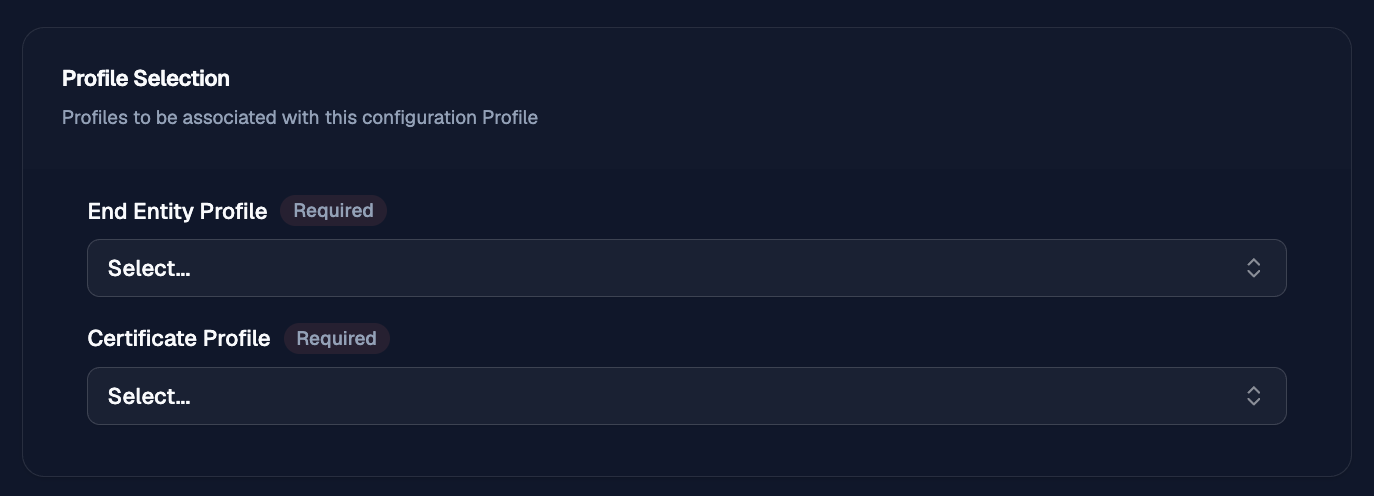
End Entity Profile
Use End Entity Profile to select the end entity profile that controls the allowed subject fields, validation rules, and related end entity settings for requests handled by this configuration.
Certificate Profile
Use Certificate Profile to select the certificate profile that controls the certificate properties OTPKI will apply when issuing certificates through this configuration.
SCEP Configurations
The SCEP Configurations section defines additional SCEP response behavior.
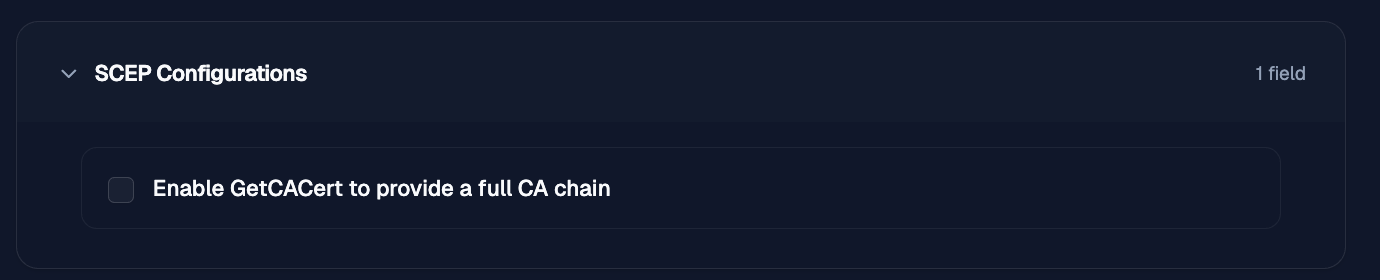
Enable GetCACert to provide a full CA chain
Includes the full CA certificate chain in the GetCACert response.
Authentication and Validation
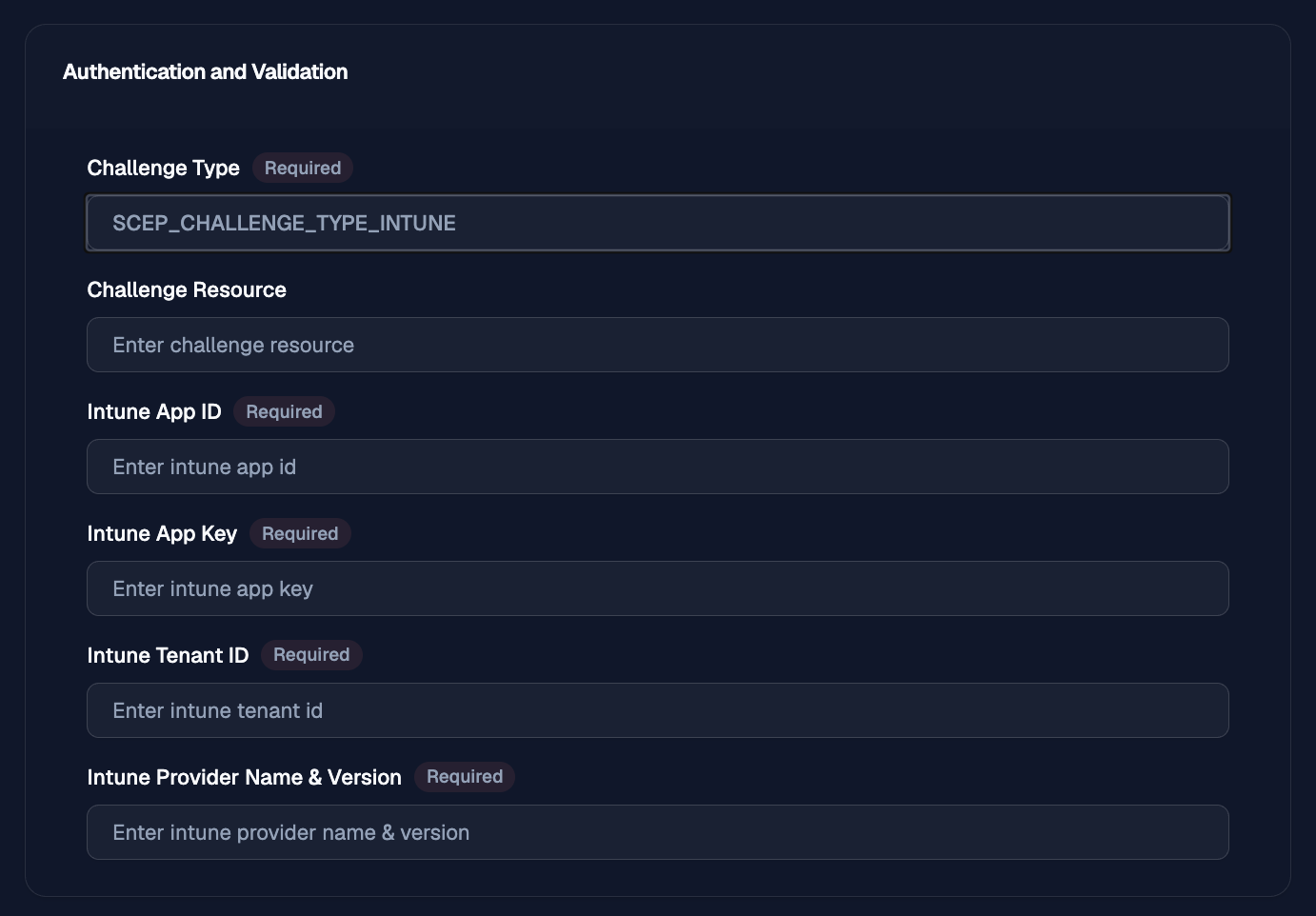
The Authentication and Validation section defines how SCEP requests are authenticated and validated.
SCEP Configurations
The SCEP Configurations section defines additional SCEP response behavior.
Enable GetCACert to provide a full CA chain
Includes the full CA certificate chain in the GetCACert response.
Authentication and Validation
The Authentication and Validation section defines how SCEP requests are authenticated and validated.
Challenge Type
Defines the challenge method used for SCEP requests.
Available options are:
- Static
- Remote
- Intune
Challenge Resource
The challenge value or resource used during SCEP authentication.
Intune App ID
The Intune application ID. This field is only used when Challenge Type is set to Intune.
Intune App Key
The Intune application key. This field is only used when Challenge Type is set to Intune.
Intune Tenant ID
The Intune tenant ID. This field is only used when Challenge Type is set to Intune.
Intune Provider Name & Version
The Intune provider name and version. This field is only used when Challenge Type is set to Intune.