Keys
Manage keys in OTPKI, including keys created in or linked to the configured key storage backends.
Create Key
Use the Create Key page to define the common settings for a key before OTPKI creates it using the selected key storage configuration.
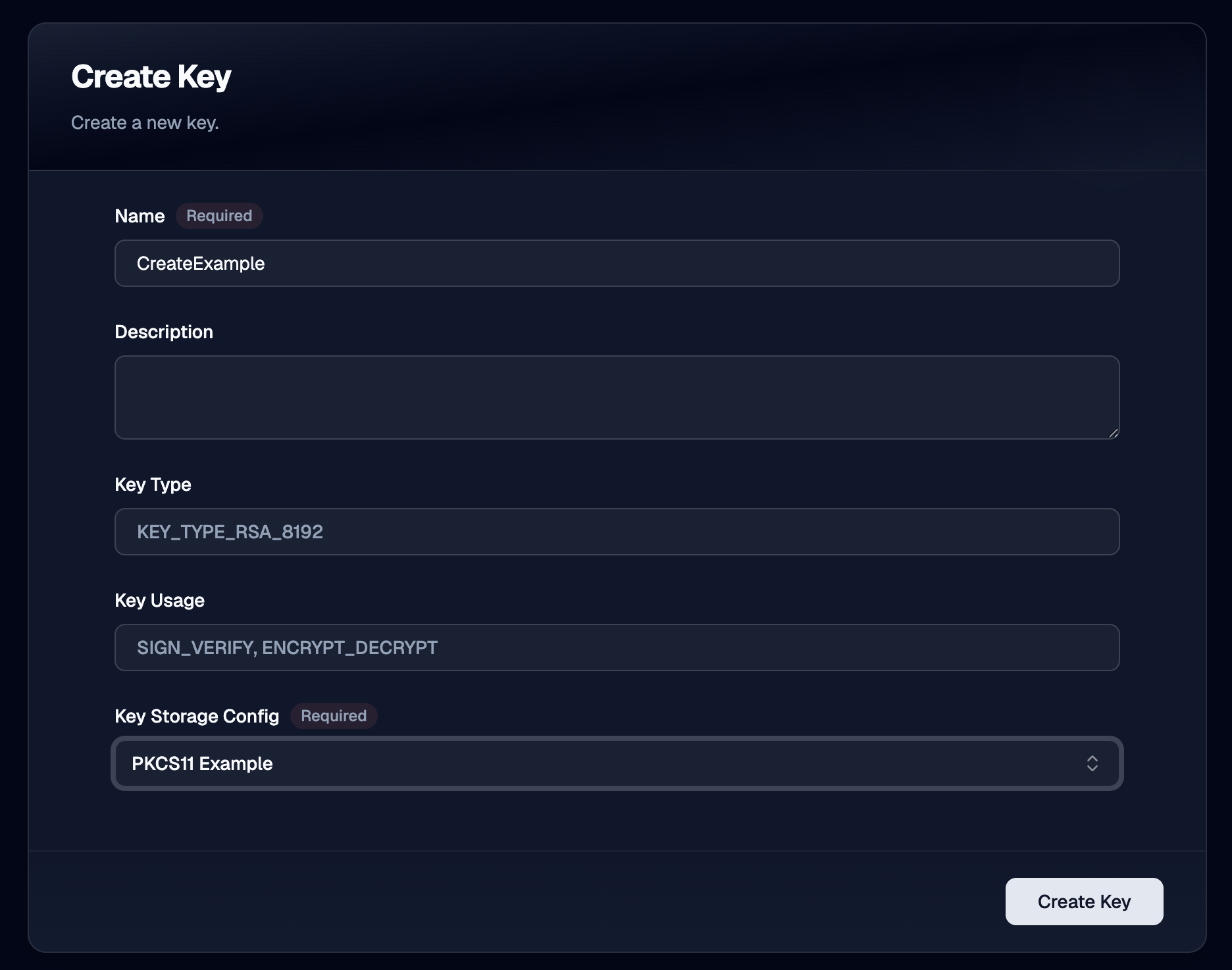
Name
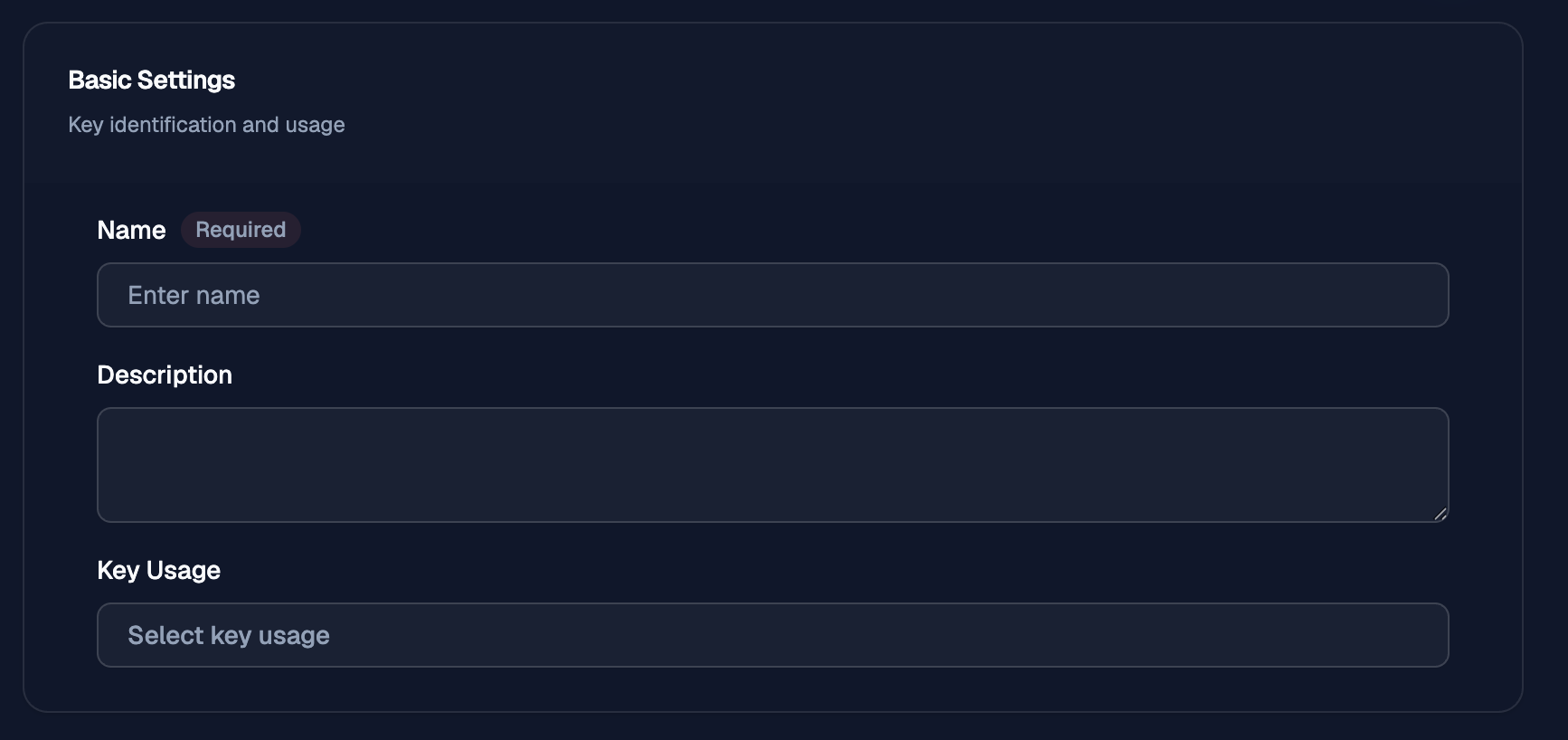
Use Name to give the key a clear identifier that operators can recognize later when selecting it for certificate authorities, issuers, or other key management tasks.
Description
Use Description to record the purpose of the key or any notes that help distinguish it from other keys.
Key Type
Use Key Type to choose the cryptographic key type and size that OTPKI will use for the key.
The Create Key workflow exposes the key types defined by OTPKI for key creation.
Supported Key Types
| Family | Supported key types |
|---|---|
| RSA | RSA 1024, RSA 1536, RSA 2048, RSA 3072, RSA 4096, RSA 6144, RSA 8192 |
| ECDSA NIST prime | ECDSA P-192, ECDSA P-224, ECDSA P-256, ECDSA P-384, ECDSA P-521 |
| ECDSA NIST binary | ECDSA B-163, ECDSA K-163, ECDSA B-233, ECDSA K-233, ECDSA B-283, ECDSA K-283, ECDSA B-409, ECDSA K-409, ECDSA B-571, ECDSA K-571 |
| ECDSA Brainpool T | ECDSA Brainpool P160t1, ECDSA Brainpool P192t1, ECDSA Brainpool P224t1, ECDSA Brainpool P256t1, ECDSA Brainpool P320t1, ECDSA Brainpool P384t1, ECDSA Brainpool P512t1 |
| ECDSA Brainpool R | ECDSA Brainpool P160r1, ECDSA Brainpool P192r1, ECDSA Brainpool P224r1, ECDSA Brainpool P256r1, ECDSA Brainpool P320r1, ECDSA Brainpool P384r1, ECDSA Brainpool P512r1 |
| ECDSA SECP | ECDSA secp192r1, ECDSA secp224r1, ECDSA secp256r1, ECDSA secp384r1, ECDSA secp521r1 |
| ECDSA SECT | ECDSA sect113r1, ECDSA sect113r2, ECDSA sect131r1, ECDSA sect131r2, ECDSA sect163k1, ECDSA sect163r1, ECDSA sect163r2, ECDSA sect193r1, ECDSA sect193r2, ECDSA sect233k1, ECDSA sect233r1, ECDSA sect239k1, ECDSA sect283k1, ECDSA sect283r1, ECDSA sect409k1, ECDSA sect409r1, ECDSA sect571k1, ECDSA sect571r1 |
| ECDSA ANSI X9.62 prime | ECDSA prime192v1, ECDSA prime192v2, ECDSA prime192v3, ECDSA prime239v1, ECDSA prime239v2, ECDSA prime239v3, ECDSA prime256v1 |
| ECDSA ANSI X9.62 binary | ECDSA c2pnb176w1, ECDSA c2pnb163v1, ECDSA c2pnb163v2, ECDSA c2pnb163v3, ECDSA c2pnb208w1, ECDSA c2tnb191v3, ECDSA c2tnb191v2, ECDSA c2tnb191v1, ECDSA c2tnb239v3, ECDSA c2tnb239v2, ECDSA c2tnb239v1, ECDSA c2pnb272w1, ECDSA c2pnb304w1, ECDSA c2pnb368w1, ECDSA c2tnb359v1, ECDSA c2tnb431r1 |
| ECDSA ANSI X9.63 | ECDSA ansip224r1, ECDSA ansip384r1, ECDSA ansip521r1, ECDSA ansit163k1, ECDSA ansit163r1, ECDSA ansit163r2, ECDSA ansit193r1, ECDSA ansit193r2, ECDSA ansit233k1, ECDSA ansit233r1, ECDSA ansit239k1, ECDSA ansit283k1, ECDSA ansit283r1, ECDSA ansit409k1, ECDSA ansit409r1, ECDSA ansit571k1, ECDSA ansit571r1 |
| Edwards | Ed25519, Ed448 |
| Post-quantum and hybrid | EdDilithium2, EdDilithium3, Dilithium2, Dilithium3, Dilithium5, ML-DSA-44, ML-DSA-65, ML-DSA-87, SLH-DSA-SHA128S, SLH-DSA-SHAKE128S, SLH-DSA-SHA128F, SLH-DSA-SHAKE128F, SLH-DSA-SHA192S, SLH-DSA-SHAKE192S, SLH-DSA-SHA192F, SLH-DSA-SHAKE192F, SLH-DSA-SHA256S, SLH-DSA-SHAKE256S, SLH-DSA-SHA256F, SLH-DSA-SHAKE256F |
Plugin Support
The list above describes the key types OTPKI can represent for key creation, but the selected key storage plugin still has to support the requested type.
For AWS KMS, support depends on the key specs and algorithms that the target
AWS KMS configuration allows. For PKCS#11 Proxy, support depends on the
capabilities exposed by the connected HSM and its configured PKCS#11
mechanisms.
If an operator selects a key type that the chosen plugin does not support, OTPKI does not create the key. The create operation fails and the operator must choose a compatible key type or a different key storage configuration.
Key Usage
Use Key Usage to define how the key is intended to be used. A key can be configured for signing and verification, encryption and decryption, or both usage types when the selected plugin supports that combination.
Key Storage Config
Use Key Storage Config to select the key storage configuration that OTPKI will use for the key.
Import Key
Use the Import Key workflow when you need to bring an existing key into OTPKI.
Basic Settings
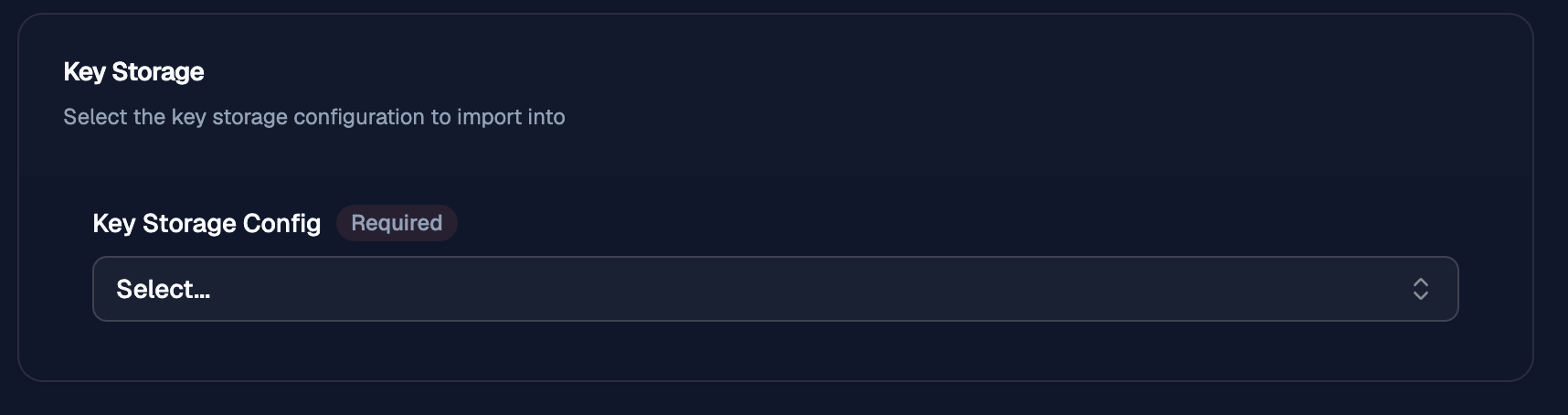
Key Storage
Use Key Storage Config to select the key storage configuration that OTPKI will import the key into.
AWS KMS
Use the AWS KMS import flow when the key already exists in AWS KMS and you want OTPKI to link to that remote KMS-backed key.
Key Reference
Use the AWS KMS key reference fields to identify the existing KMS key that OTPKI should import.
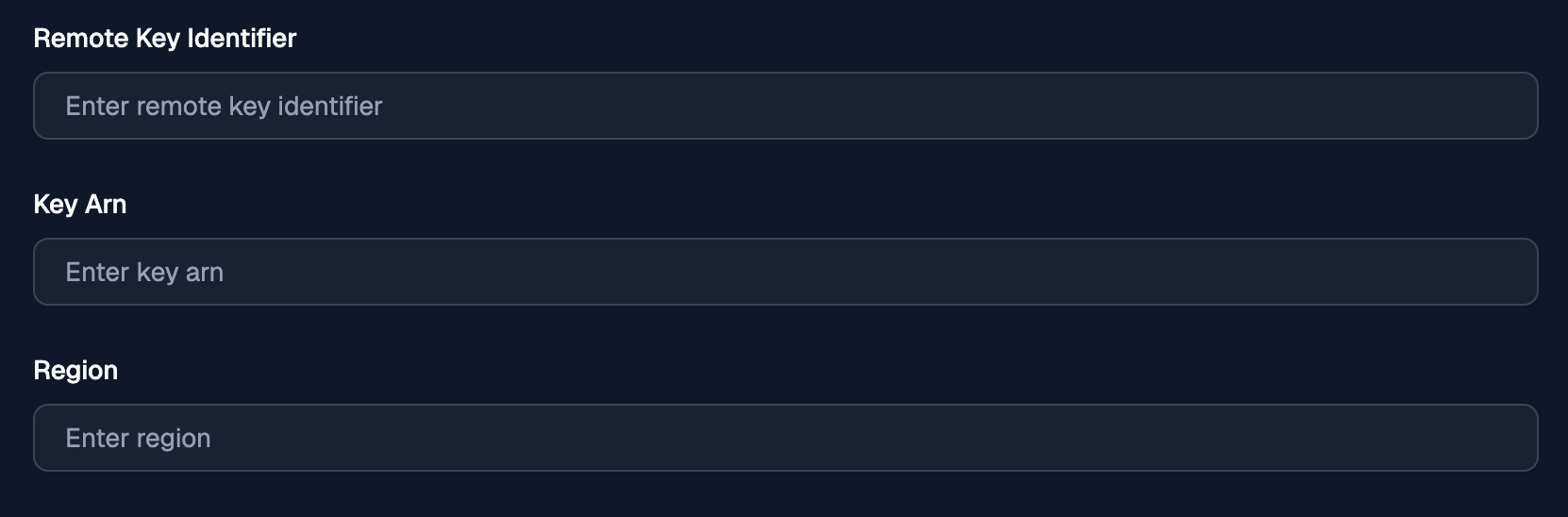
Remote Key Identifier
Use Remote Key Identifier to provide the AWS KMS key ID for the existing key.
Key Arn
Use Key Arn when you want OTPKI to target the key by full AWS KMS ARN instead of key ID. If both values are provided, OTPKI uses the key ARN.
Region
Use Region to record the AWS region for the imported key reference. OTPKI stores the resolved region from the AWS KMS key metadata after import.
Soft DB KMS
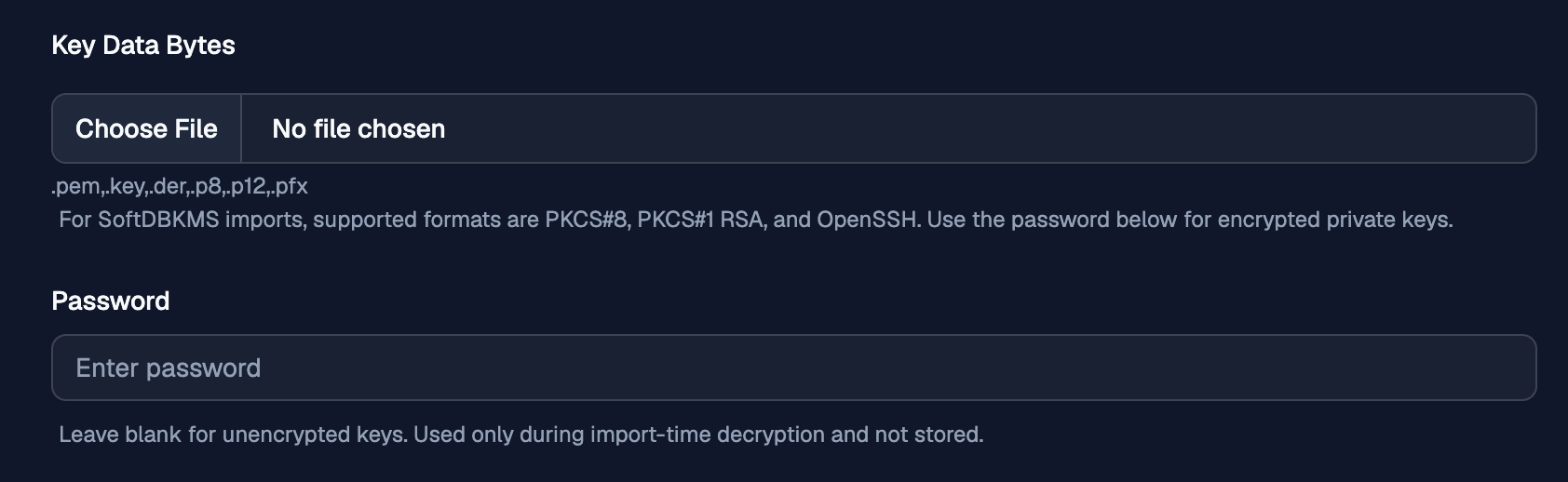
Use the Soft DB KMS import flow when you need OTPKI to import a private key file into the Soft DB backend.
Key Data Bytes
Use Key Data Bytes to upload the private key file that OTPKI should import.
PKCS#11 Proxy
Use the PKCS#11 Proxy import flow when the key already exists in the connected HSM and you want to select the exact key OTPKI should use from the list exposed through the proxy.
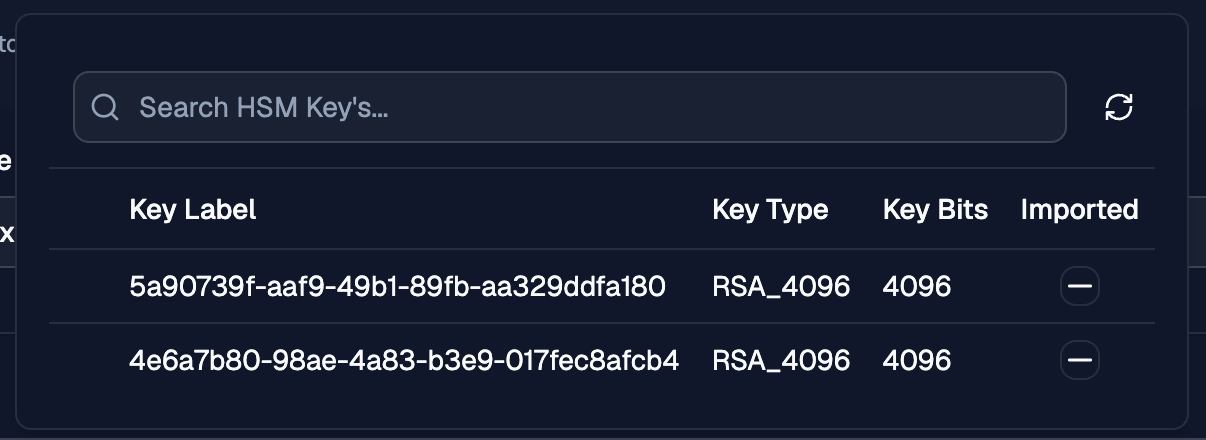
Key Label
Use Key Label to choose the exact HSM-backed key that OTPKI should link to for this imported key record.

HSM Key List
The Key Label dropdown displays the HSM key list for the configured PKCS#11 Proxy connection and lets operators browse and search the available keys.
The Imported field shows whether a listed HSM key has already been imported into the currently selected key storage configuration. This check applies only to that specific key configuration and does not indicate import status for other PKCS#11 key storage configurations.